HEA Infobox
Refer to the documentation below to get a detailed guide on how to use the Infobox widget effectively.
Step-1:
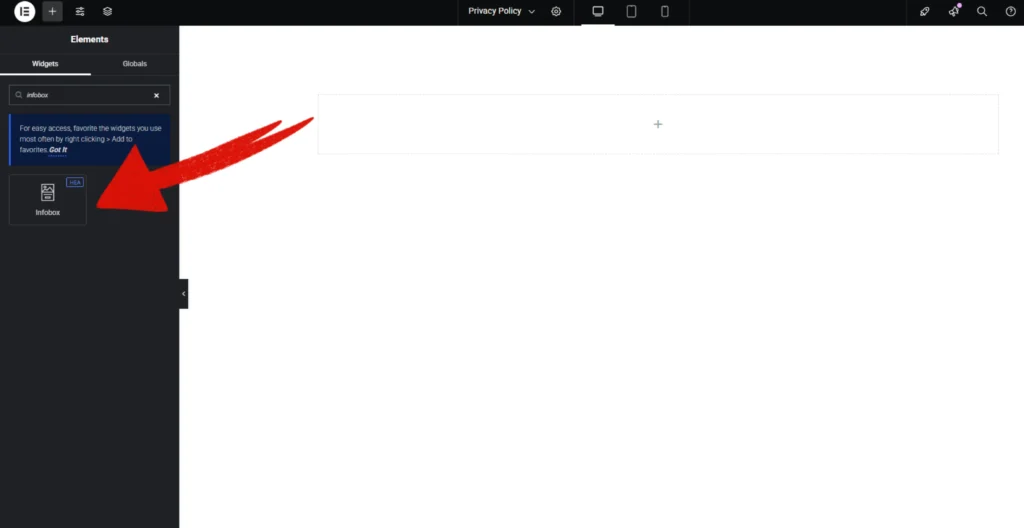
Open Elementor Editor Search for “Infobox” in the Elementor panel, drag the “Infobox” widget to a container on your page.
Step-2:
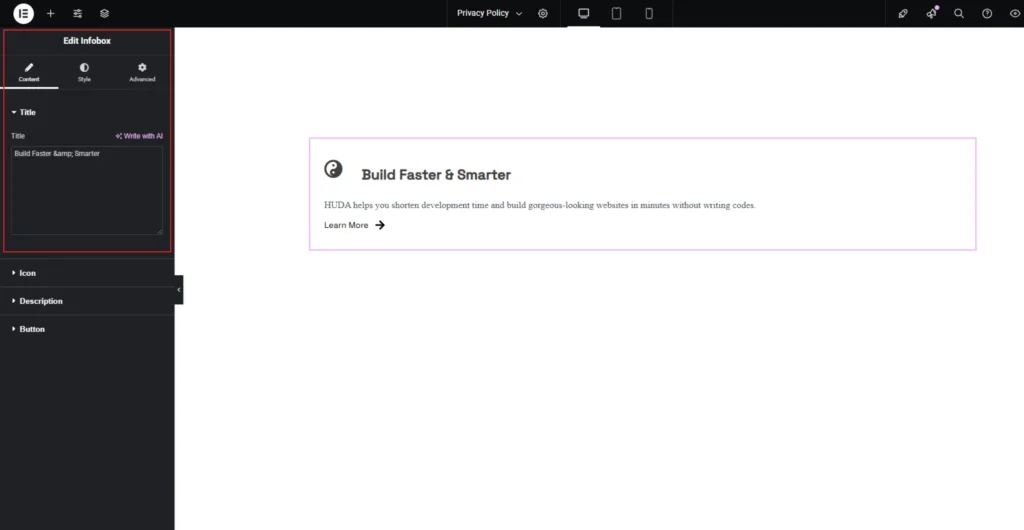
In the “Title” option, write your title first.
Step-3:
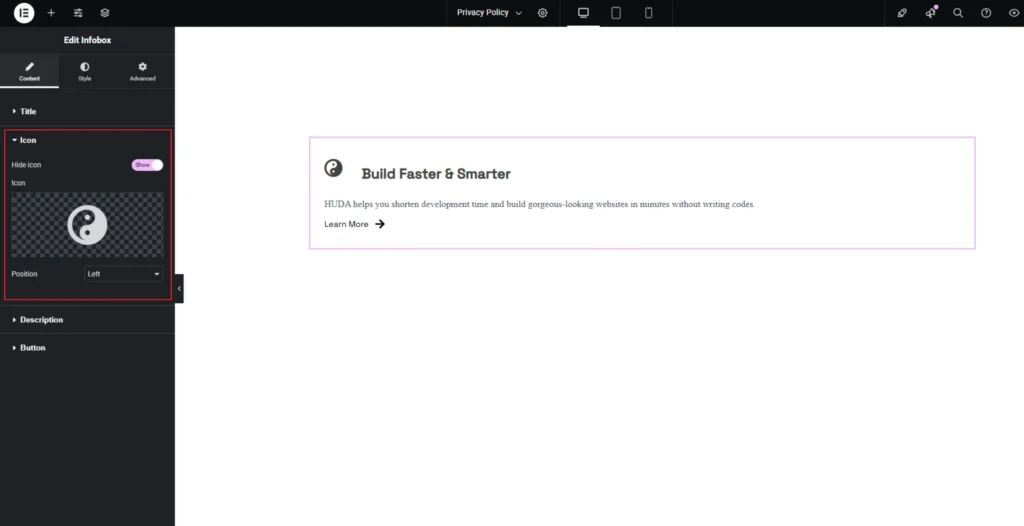
In the “Icon” option, upload your icon you can also choose from the icon library. Manage the icon position in the “Position” option. You can also show or hide the icon.
Step-4:
In the “Description” option, write your description. You can also show or hide the description.
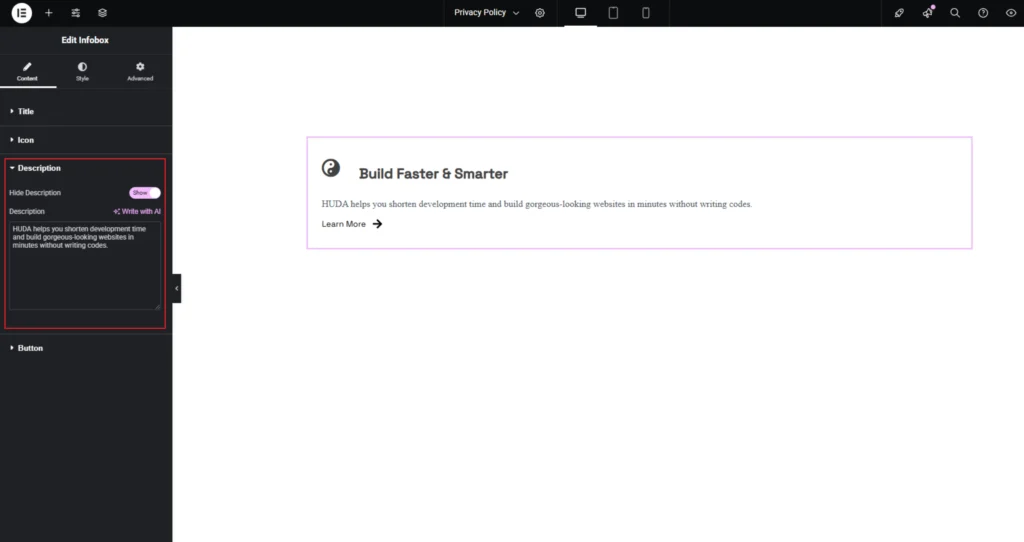
Step-5:
In the “Button” option, write your button text. Upload your button icon in the “Icon”option or choose from the library. Manage button icon position in the “Position” option. You can also show or hide the button. Attach the link in the blank field located below the “Link” option.
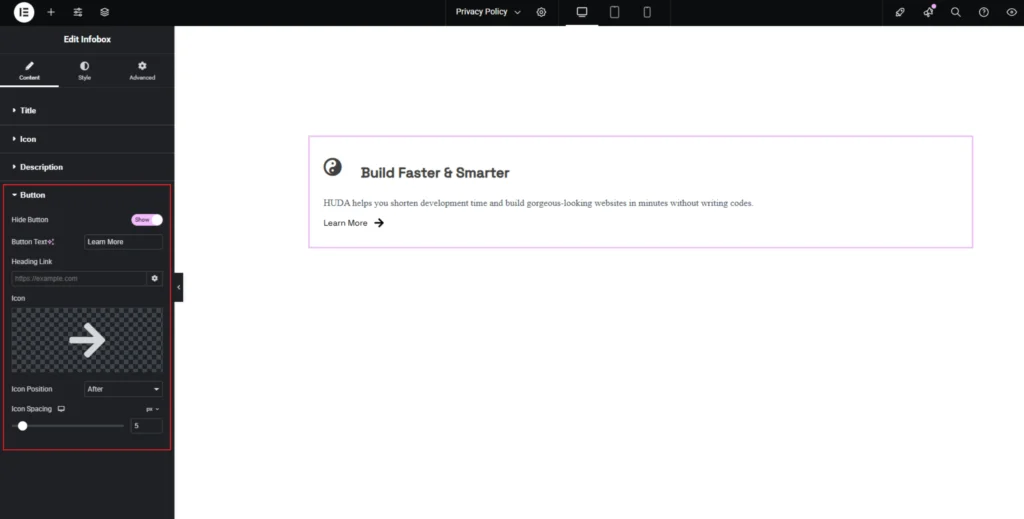
Step-6:
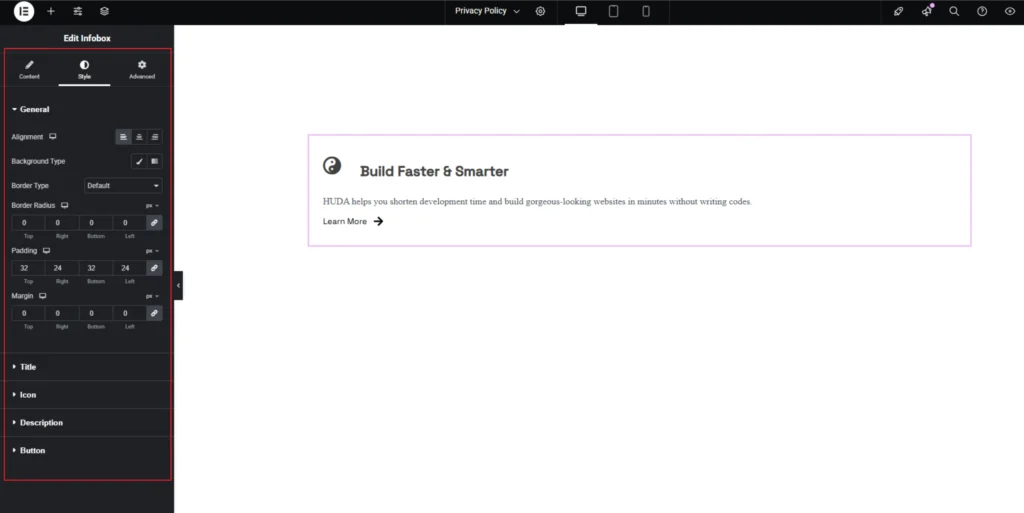
Adjust the heading alignment using the “Alignment” option. Customize the infobox style from the “Style” section.