HEA Author Box
Refer to the documentation below to get a detailed guide on how to use the Author Box widget effectively.
Step-1:
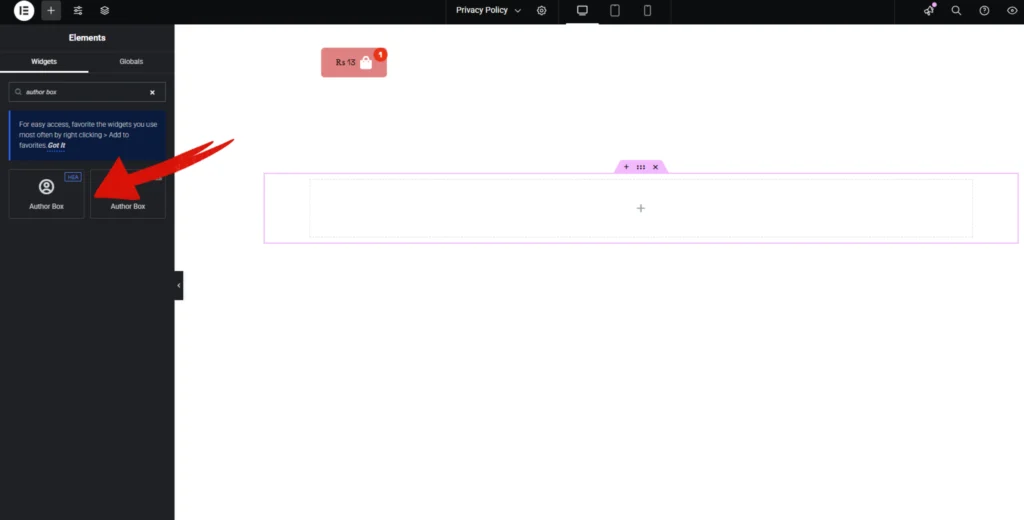
Open Elementor Editor Search for “Author Box” in the Elementor panel, drag the “Author Box” widget to a container on your page.
Step-2:
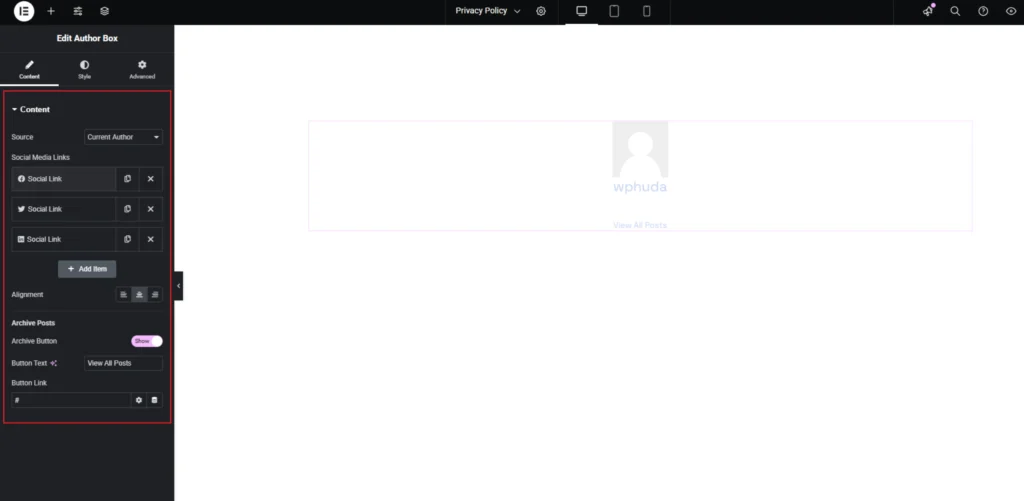
The Author Box widget allows you to display author details along with social media links and a post archive button. In the Source option, you can set it to show the Current Author or a selected one. The Social Media Links section enables you to add or remove social profile links, making it easier for visitors to connect with the author on different platforms.
You can adjust the Alignment to position the author box as needed. The Archive Posts section lets you enable or disable an archive button, customize the Button Text, and set a Button Link to direct users to all posts written by the author.
Step-3:
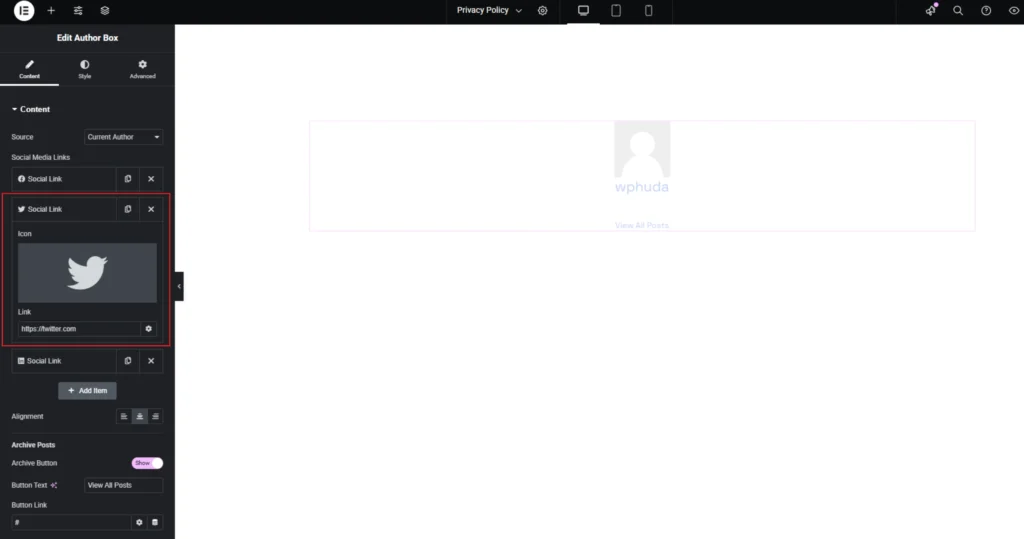
The Social Media Links section in the Author Box widget allows you to connect the author’s profile with their social platforms. You can customize each Social Link by selecting an icon, such as Twitter, and adding a direct Link to the author’s profile. This feature makes it easier for visitors to engage with the author on different social media platforms. You can edit, duplicate, or remove social links as needed, ensuring flexibility in showcasing multiple social networks.
Step-4:
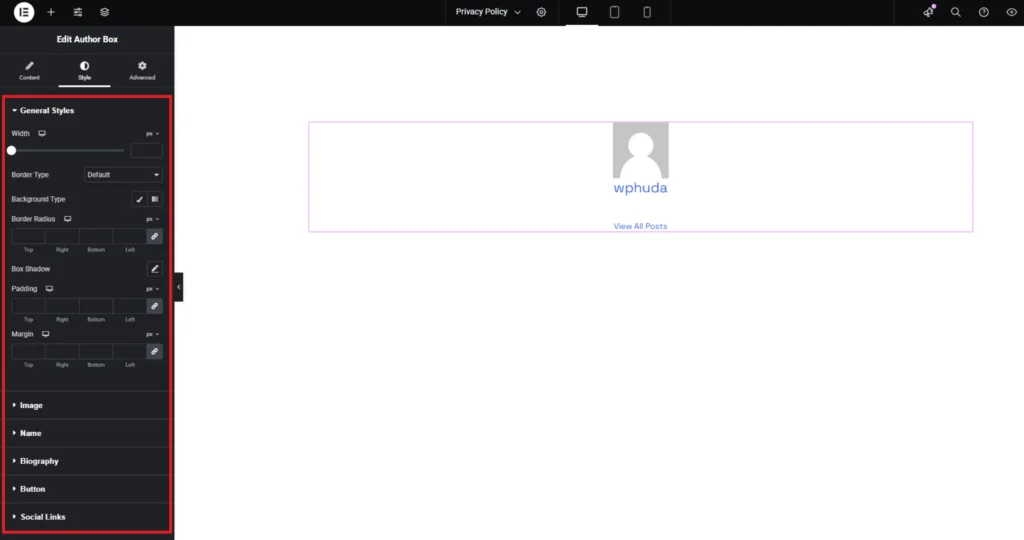
Customize the Author Box style from the “Style” section..