HEA Offcanvas
Refer to the documentation below to get a detailed guide on how to use the Offcanvas widget effectively.
Step-1:
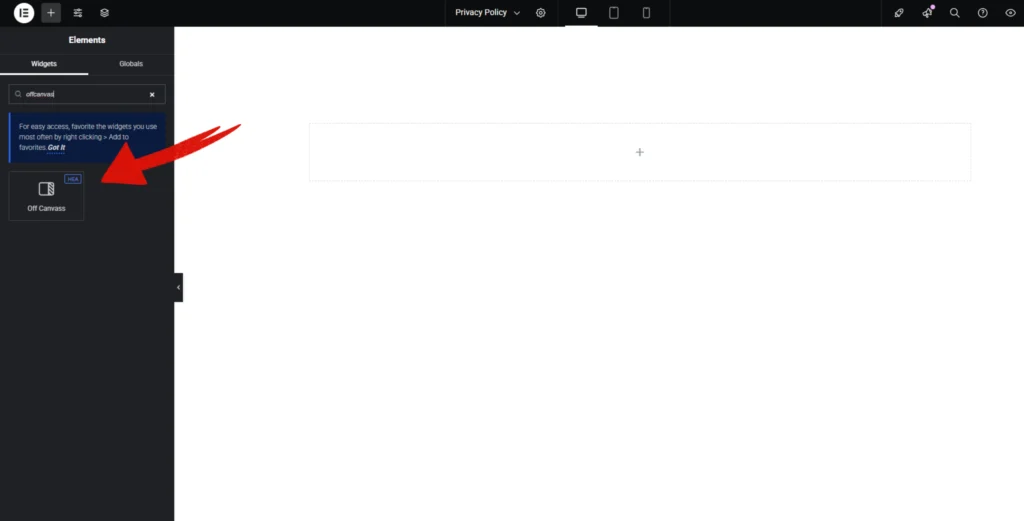
Open Elementor Editor Search for “Offcanvas” in the Elementor panel, drag the “Offcanvas” widget to a container on your page.
Step-2:
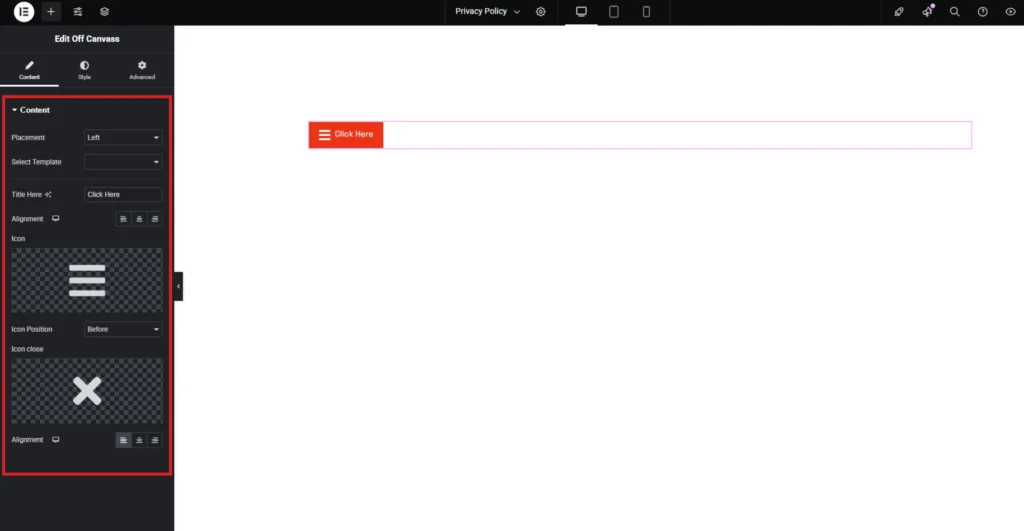
The Off-Canvas widget allows you to create a hidden panel that slides in from the side, offering a space-saving way to display additional content, menus, or widgets. You can choose the Placement (left or right) for the off-canvas panel, ensuring smooth accessibility. Select a Template to load custom content inside the panel.
The Title field lets you add a label for the trigger button, while the Alignment options enable you to position the button anywhere on the page. You can also customize the Icon and Close Icon, defining their position and styling for a seamless user experience.
Step-3:
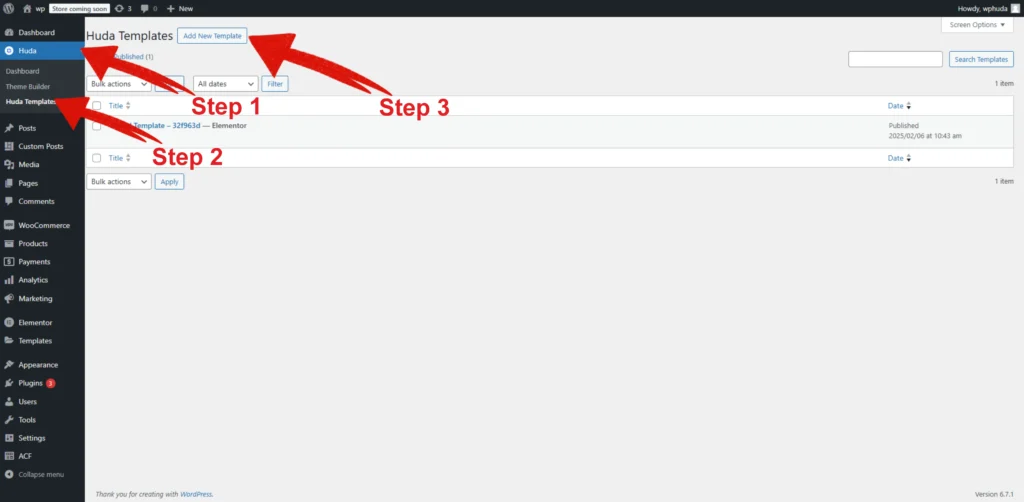
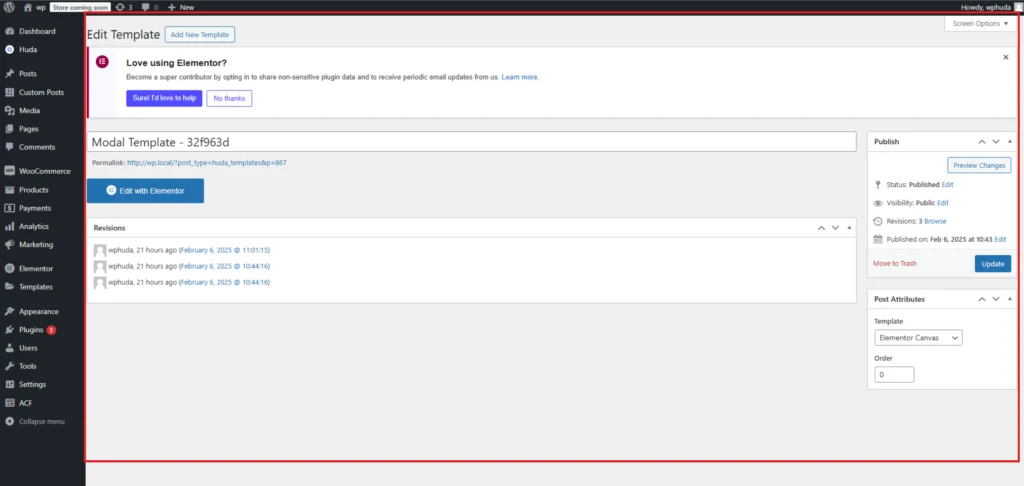
For adding template in offcanvas go to WordPress Dashboard, then navigate to Huda> Huda Template. Click on the “Add New Template” button at the top of the page.
Step-4:
Add Your Template as shown in the image and Publish.
Step-5:
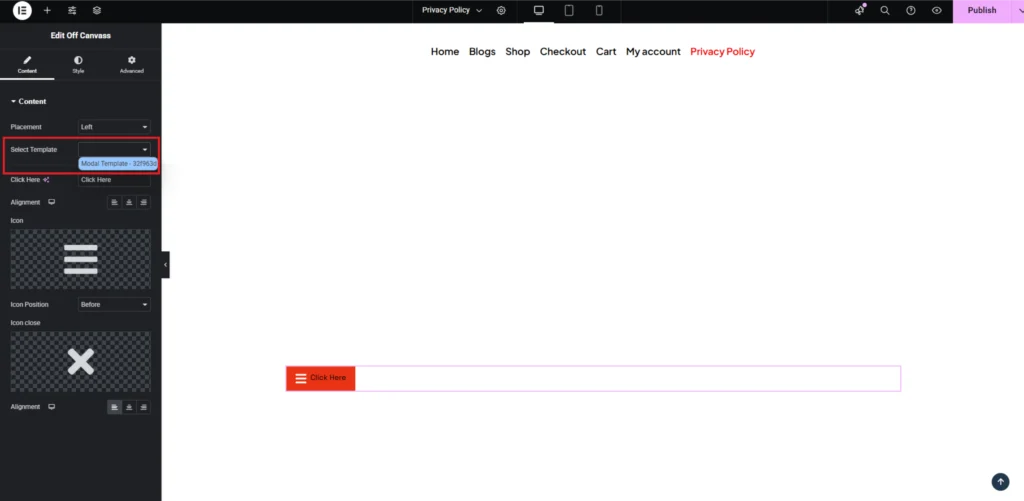
Now, Select the added template in elementor editor in the “Select Template” option.
Step-6:
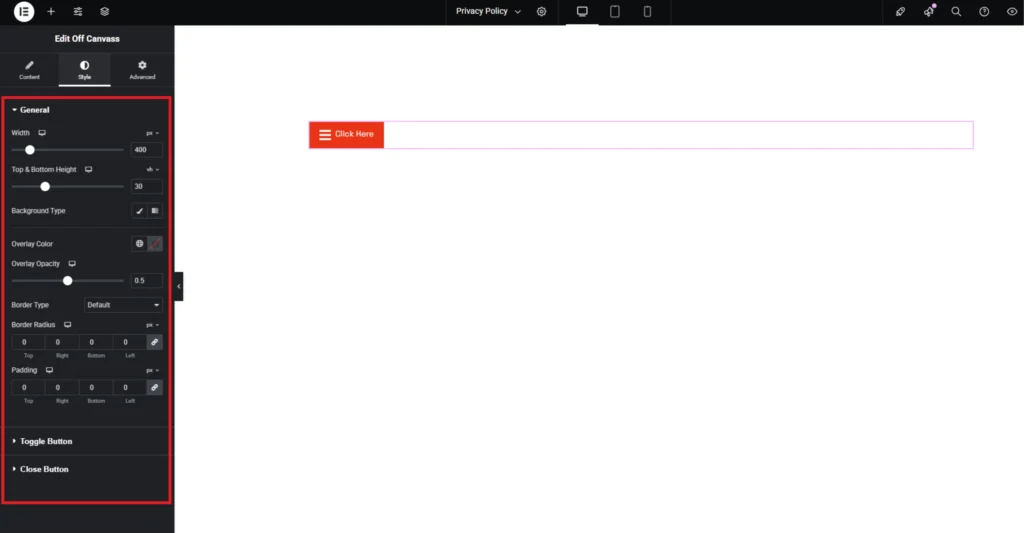
Customize the Offcanvas style from the “Style” section..