HEA Post Excerpt
Refer to the documentation below to get a detailed guide on how to use the Post Excerpt widget effectively.
Step-1:
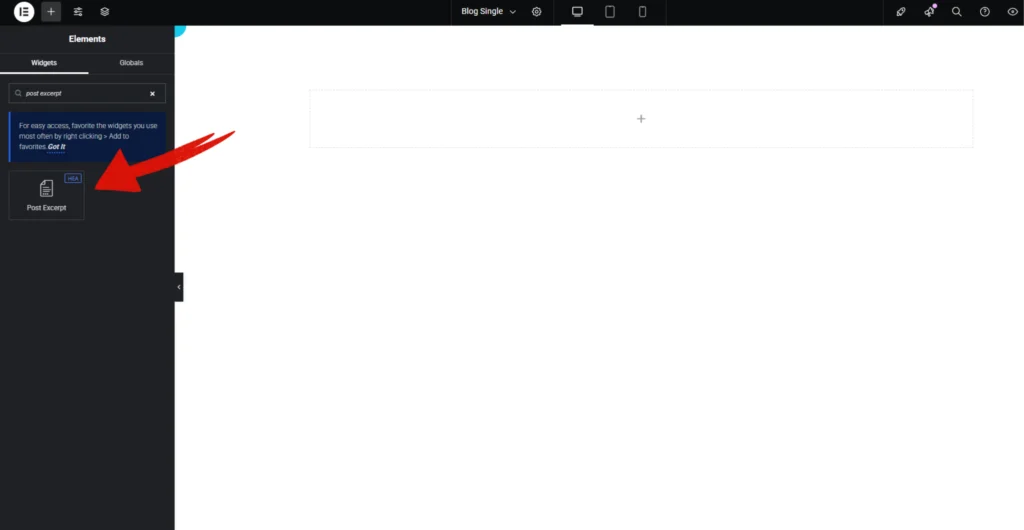
Open Elementor Editor Search for “Post Excerpt” in the Elementor panel, drag the “Post Except” widget to a container on your page.
Step-2:
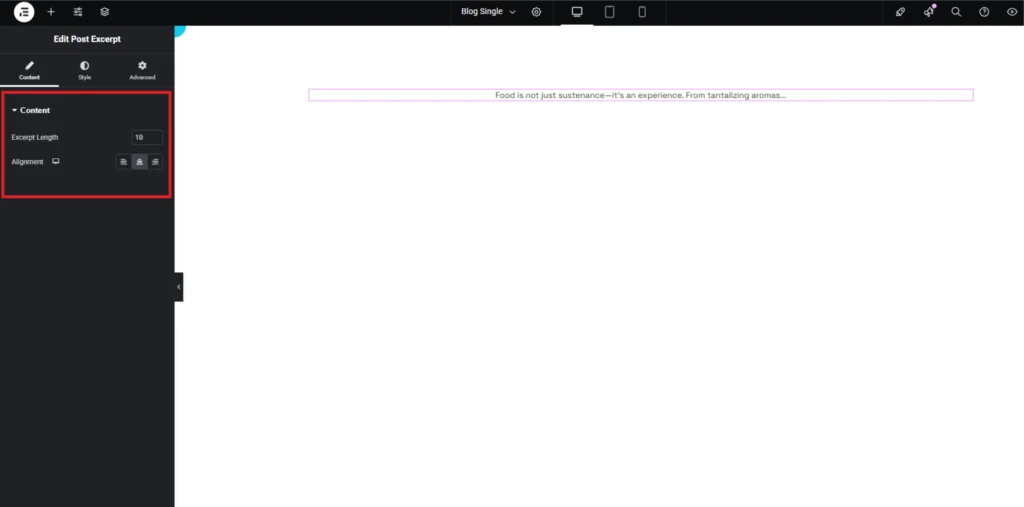
In the “Content” section, start by selecting the length, adjusting the Excerpt Length. Adjust the alignment according to your design.
Step-3:
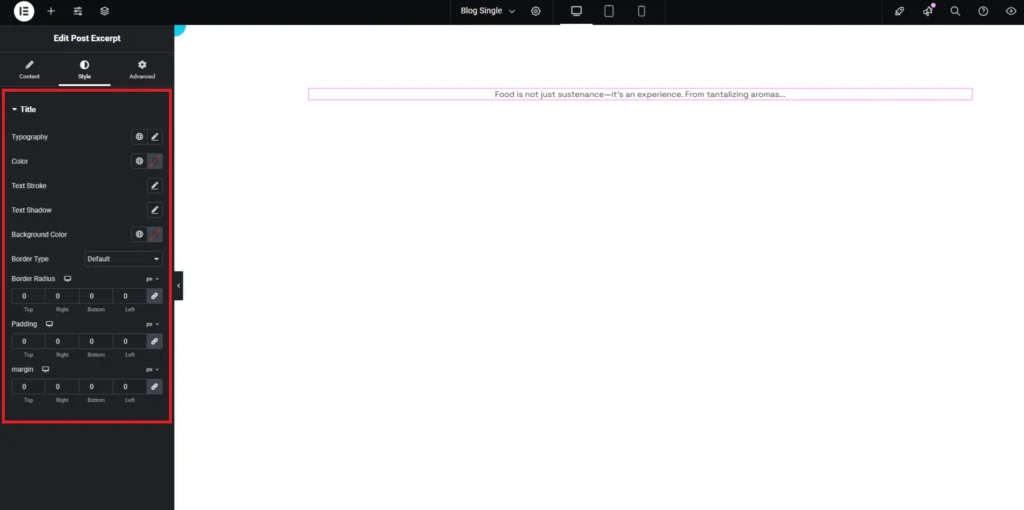
Customize the “Post Except” style from the “Style” section.