HEA Post Comment
Refer to the documentation below to get a detailed guide on how to use the Post Comment widget effectively.
Step-1:
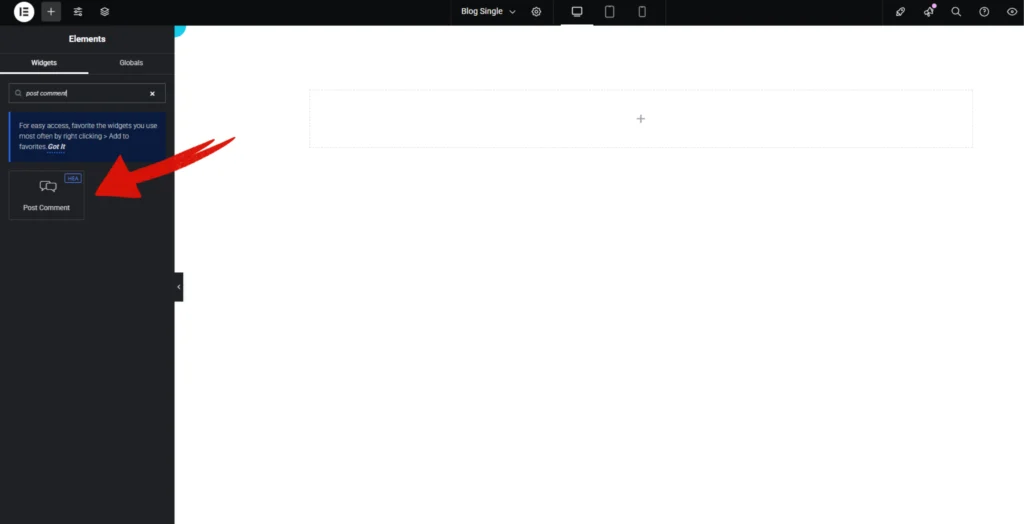
Open Elementor Editor Search for “Post Comment” in the Elementor panel, drag the “Post Comment” widget to a container on your page.
Step-2:
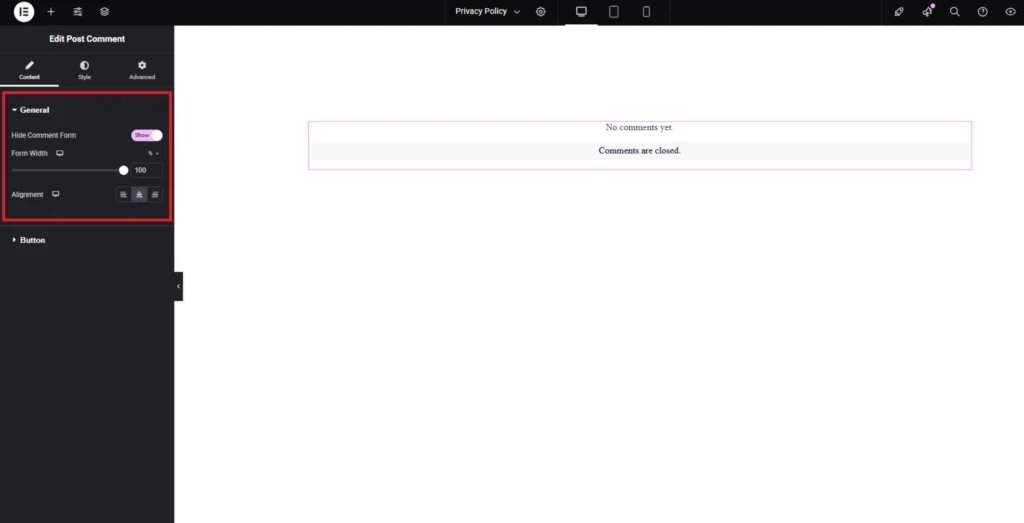
In the “General” option, You can enable or disable the comment form using the Hide Comment Form toggle. You can adjust the comment form width using the Form Width slider. In the “Alignment” you can adjust the alignment of comment form.
Step-3:
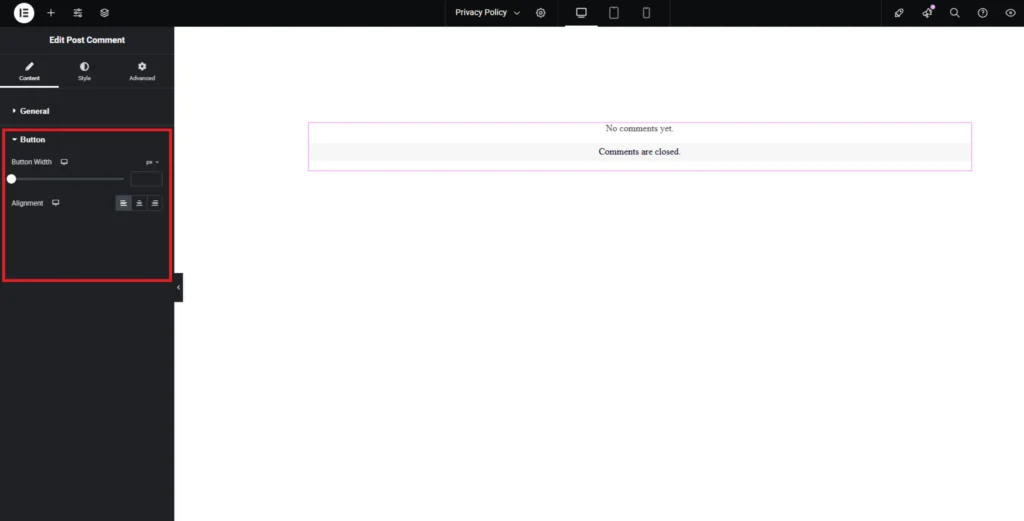
The Learn More Button section allows you to add a customizable button. You can adjust the button width using the Button Width slider. In the Alignment option, you can adjust the button’s position.
Step-4:
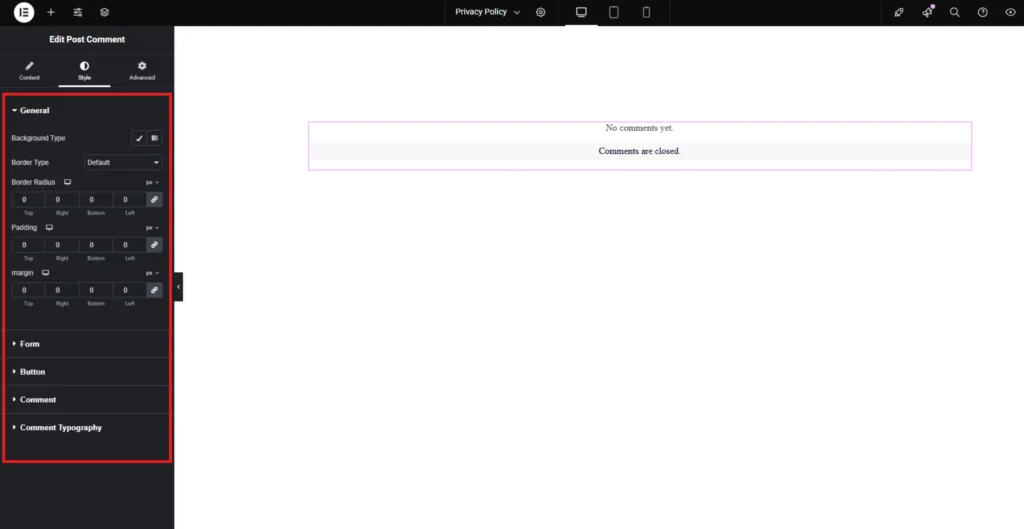
In the “Style” section, customize the appearance of the Background, Form, Button, Comments, and Hover effects to match your design preferences.